 OurBrewbot
Controller
The Controller tab on the System & diagnostics page shows how the controller is doing, and has links to restart or reset it.
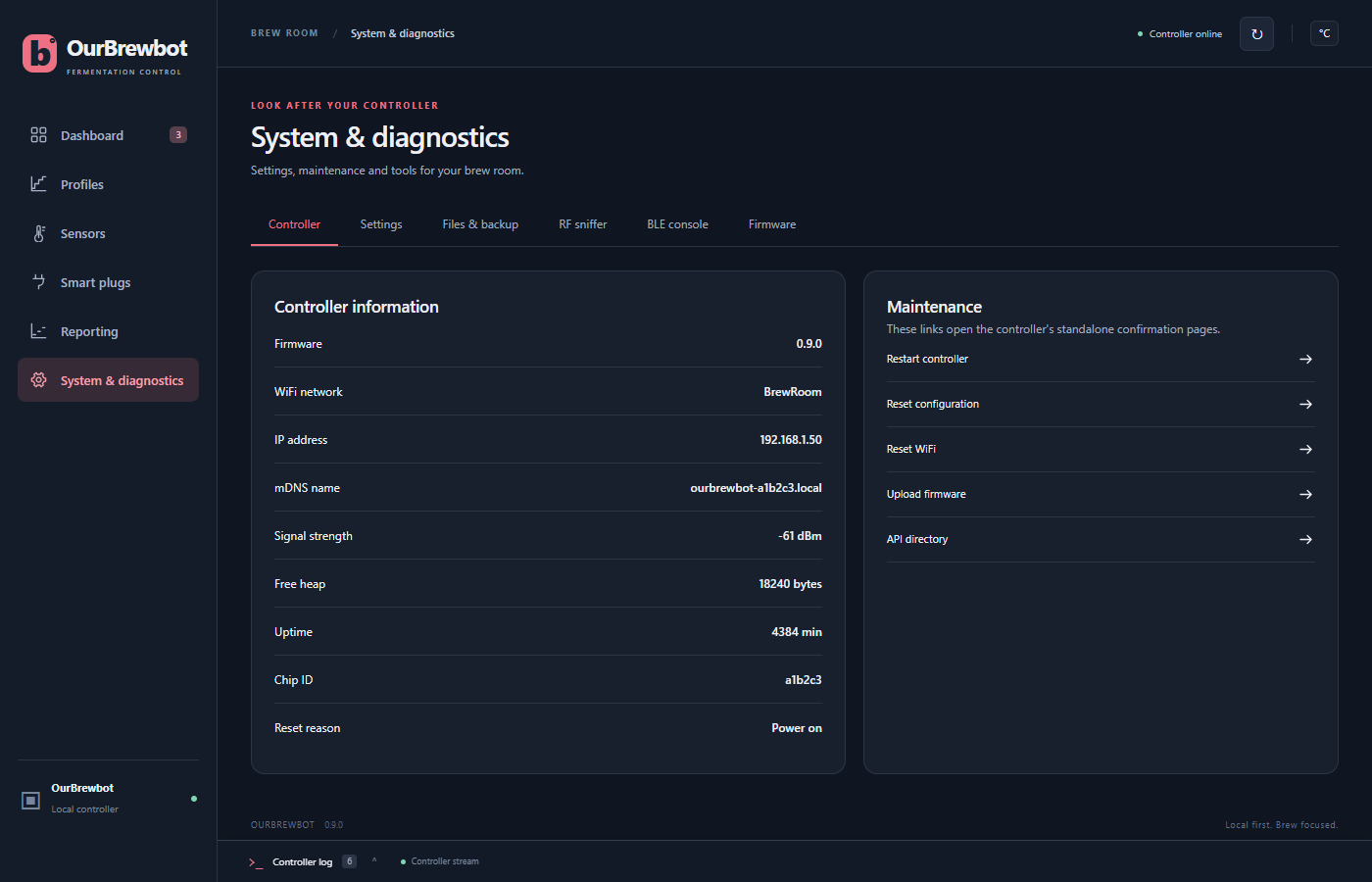
Controller information#
| Item | What it is |
|---|---|
| Firmware | The OurBrewbot version it's running |
| WiFi network | The network it's connected to |
| IP address | Its address on your network |
| mDNS name | The name you can use instead of the IP address, such as ourbrewbot-a1b2c3.local |
| Signal strength | The WiFi signal, in dBm. Closer to 0 is stronger: −50 is very good, and below about −80 it may drop out |
| Free heap | Free memory, in bytes |
| Uptime | How long it has been running since it last started, in minutes |
| Chip ID | The controller's own ID, which is also the end of its hotspot and mDNS names |
| Reset reason | Why it last started, such as Power on or Software/System restart |
Maintenance#
Each of these opens a page on the controller that asks you to confirm first.
- Restart controller restarts it. It's back in about 20 seconds. The smart plugs are switched off first, and a fridge waits out its compressor delay before it cools again.
- Reset configuration erases every setting, including the WiFi, and restarts. The
controller then opens its
OurBrewbot-xxxxxxsetup hotspot, as it did the first time. Export a backup first if you might want your settings back. - Reset WiFi forgets the WiFi network and restarts into the
OurBrewbot-xxxxxxsetup hotspot, so you can connect it to a different network. Everything else is kept, and the fermenters keep being controlled while the hotspot is open. Pressing the controller's reset button twice, within 10 seconds, does the same. - Upload firmware opens the firmware uploader. See Firmware updates.
- API directory opens the controller's home page, which lists its REST API.