 OurBrewbot
Profiles
A profile is a temperature plan for a fermentation, made of up to 15 steps that run one after another. The controller holds four profiles, and any fermenter can run any of them.
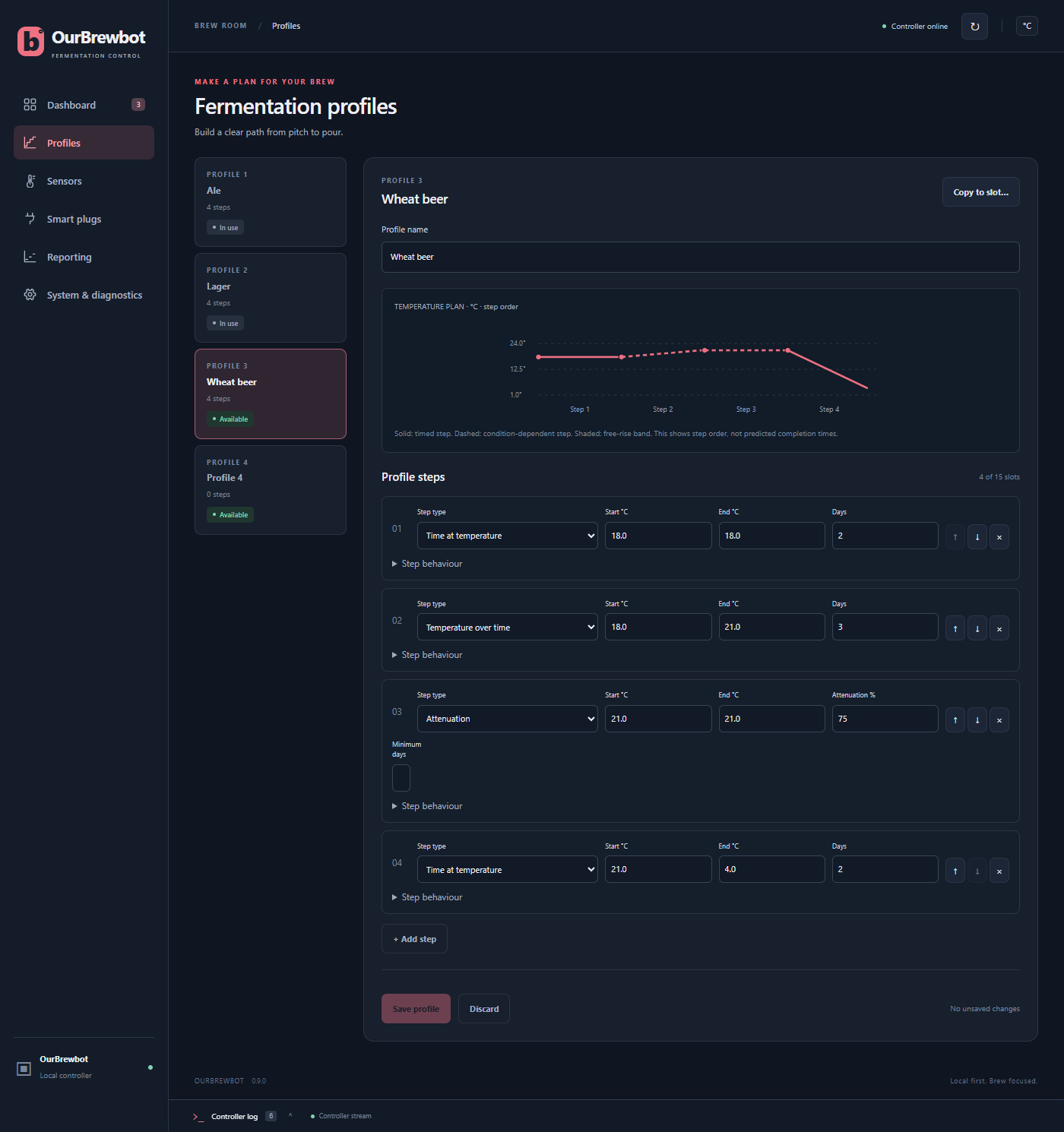
Choosing and editing a profile#
The four profiles are listed on the left. Choose one to edit it on the right:
- Profile name is shown on the Dashboard and in the fermenter settings.
- The temperature plan draws the steps in order. A solid line is a step that lasts a set time, a dashed line is a step that waits for something to happen, and a shaded box is a free rise. It shows the order of the steps, not how long they'll take.
- Each step has a Step type and the values that type needs. The arrows move a step up or down, and × deletes it. Step behaviour under a step explains what it does.
- + Add step adds a step at the end.
Press Save profile to keep your changes.
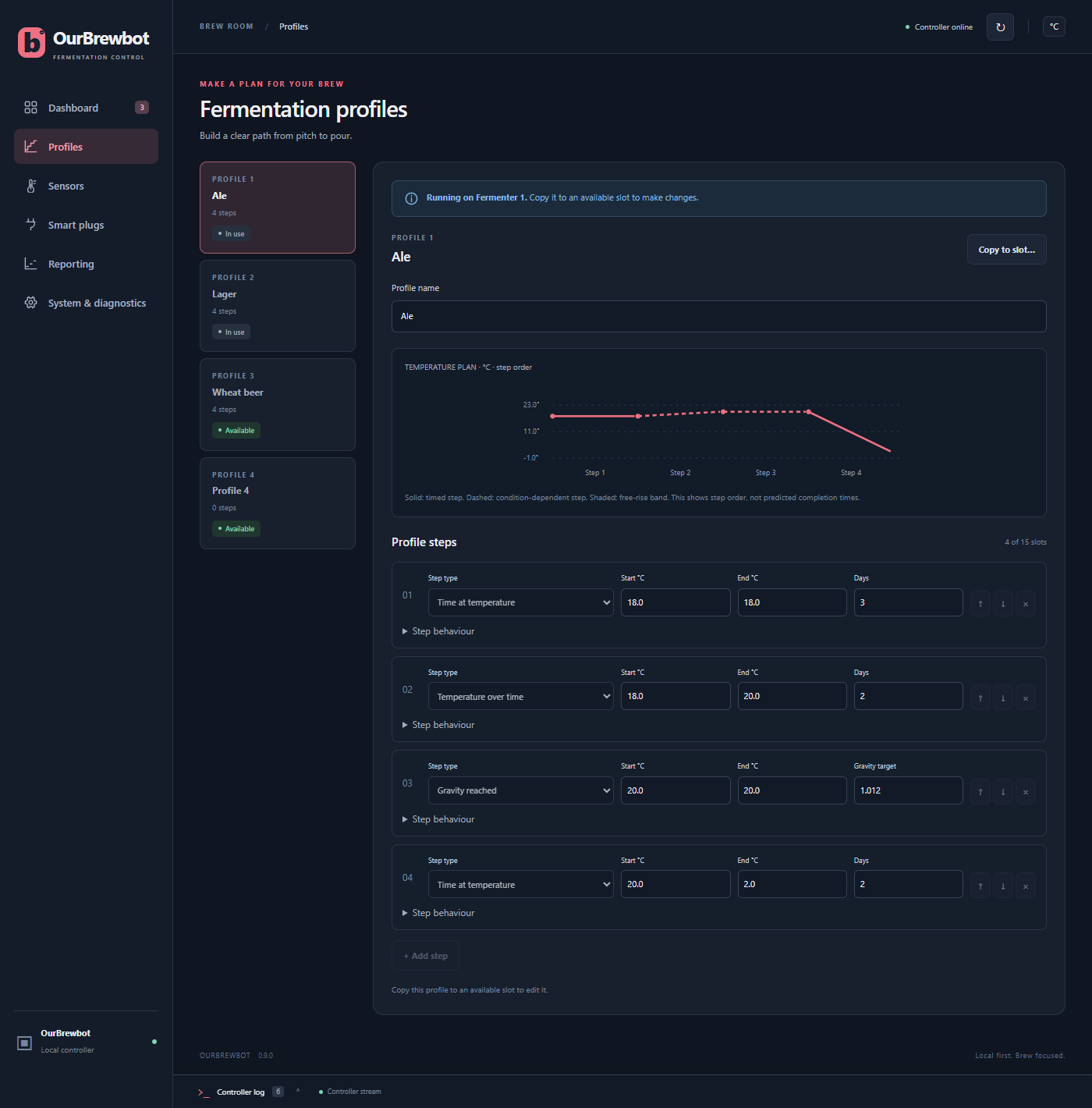
A profile that a fermenter is running, or has paused, is marked In use and can't be changed. To make a new version of it, press Copy to slot… and choose a profile that isn't in use. The copy isn't saved until you press Save profile.
Step types#
Every step has an End temperature. The steps that change the temperature over time go from Start to End over the step's Days. The others hold the End temperature.
| Step type | Temperature | The step ends |
|---|---|---|
| Temperature over time | Start to End over Days | After Days, once the temperature has reached End |
| Time at temperature | Start to End over Days | After Days |
| Free rise | Anywhere between Start and End | After Days |
| Specific gravity | Holds End | After the Minimum days, once the gravity is at or below the target |
| Attenuation | Holds End | After the Minimum days, once the attenuation is at or above the target |
| Temperature reached | Holds End | Once the temperature has reached End |
| Gravity reached | Holds End | Once the gravity is at or below the target |
| Attenuation reached | Holds End | Once the attenuation is at or above the target |
| Time and gravity | Start to End over Days | After Days, once the gravity is at or below the target |
| Time and attenuation | Start to End over Days | After Days, once the attenuation is at or above the target |
Days can be a fraction, such as 0.5 for 12 hours. The gravity steps need a gravity reading, from a Tilt, an iSpindel or the estimate. The attenuation steps work it out from the fermenter's original gravity.
Running a profile#
Choose the profile in the fermenter's settings, save, then press Start under Profile controls. The same place has the buttons to pause it, move between steps by hand or stop it.
The profile's time only counts while the fermenter is switched on, and it carries on where it was after the controller restarts. When the last step ends, the profile finishes and the fermenter goes back to standard temperature control.
While a profile runs#
A running profile sets the fermenter's floor and ceiling itself, 0.5 °C either side of the step's temperature, or the fermenter's hysteresis either side if that's bigger. A free rise step uses its Start and End as the floor and ceiling instead. Any floor and ceiling you set in the fermenter's settings are replaced while it runs.
"Reached" means within that band of the End temperature.
To try out a new profile quickly, switch on Profile test mode in the fermenter's settings: the profile then goes through an hour every 10 seconds.