 OurBrewbot
RF sniffer and BLE console
The RF sniffer and BLE console tabs on the System & diagnostics page are tools for setting up smart plugs and sorting out Bluetooth problems. Each one only runs while you're on its tab.
RF sniffer#
The RF sniffer listens for 433 MHz remote controls, so you can find the codes for a smart plug that isn't in the presets.
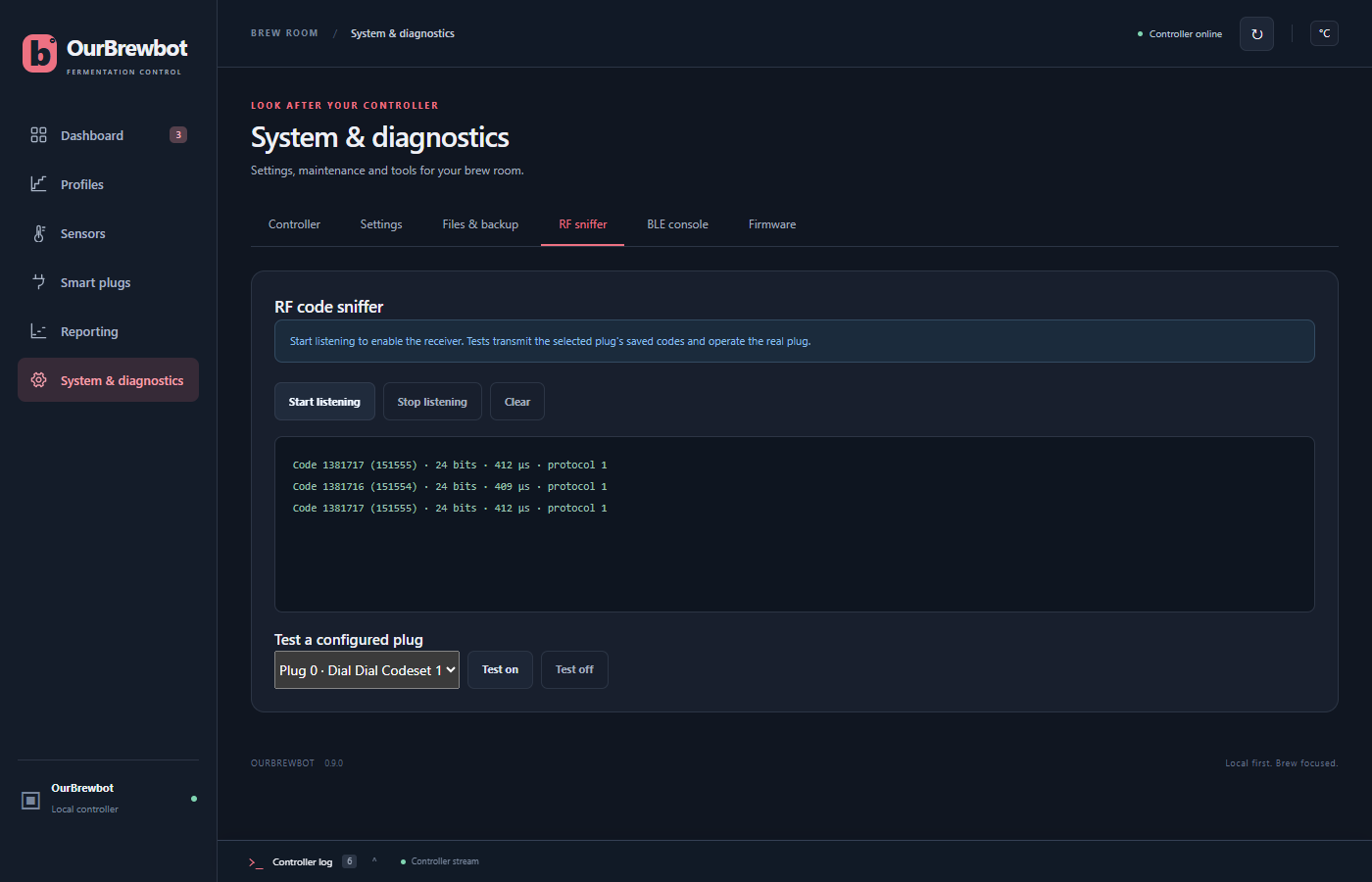
- Press Start listening.
- Hold the plug's remote near the controller and press its on button, then its off button.
- Each code received is shown with its number, the same number in hexadecimal, its number of bits, its pulse length and its protocol.
- Enter the on and off codes, bits, pulse length and protocol in the plug's RF codes, and save it.
Stop listening stops, and Clear empties the list.
Test a configured plug switches a plug you've already set up on or off with its saved codes, to check it works.
BLE console#
The BLE console sends commands to the controller's Bluetooth module, an HM-10, which listens for Tilts. It's for checking the module is working if your Tilts aren't being found.
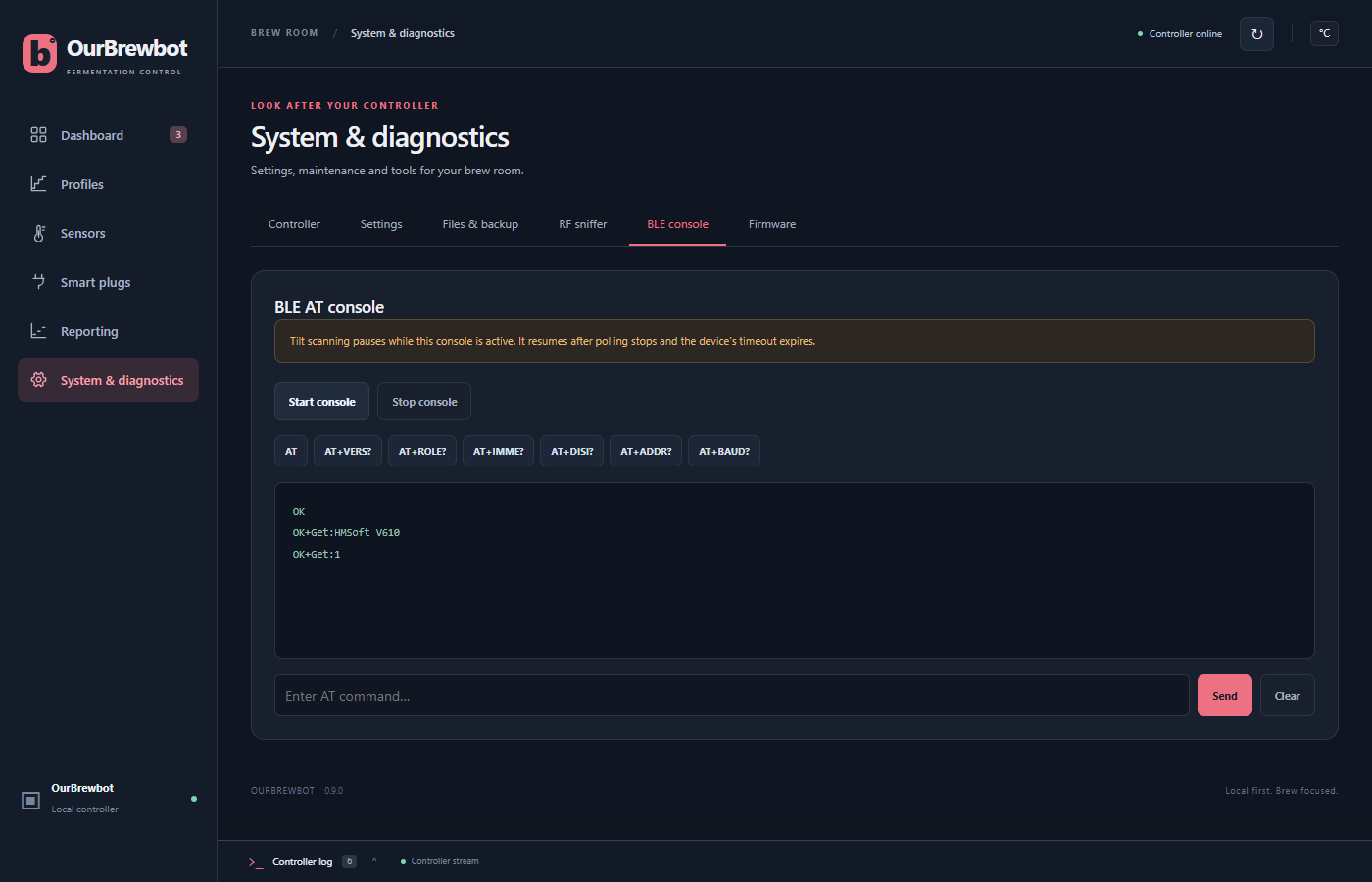
Press Start console, then one of the command buttons, or type a command and press Send.
The module's replies appear below. AT should reply OK, and AT+VERS? replies with the
module's firmware version.
The controller stops listening for Tilts while the console is in use, and starts again shortly after you leave the tab or press Stop console.