 OurBrewbot
Tilts
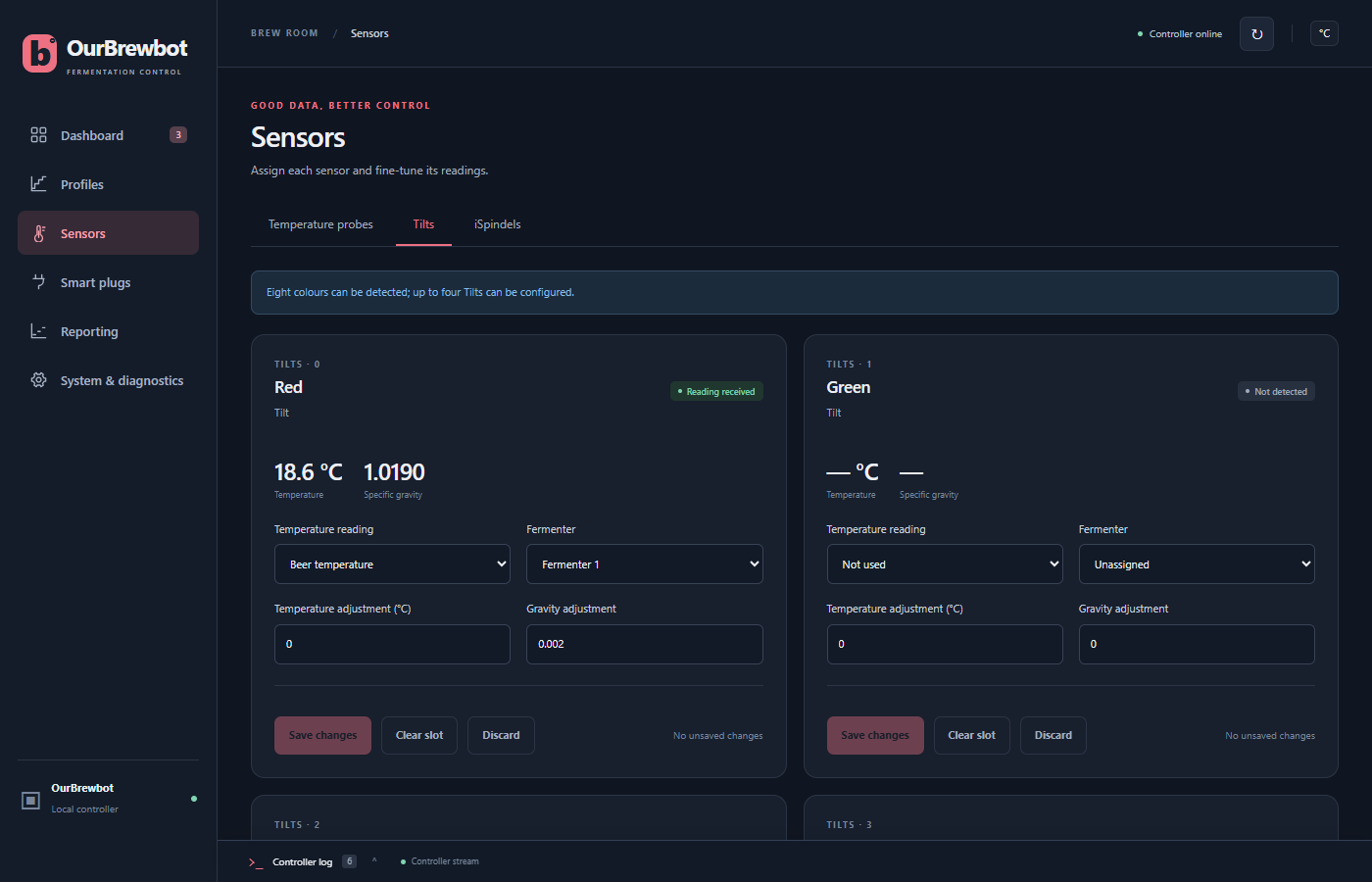
The controller listens for Tilt hydrometers with its Bluetooth module. The Tilts tab on the Sensors page has a card for each of the eight Tilt colours, showing the colour's latest temperature and gravity.
Finding your Tilt#
Float the Tilt and wait a minute or two. Its colour's card then says Reading received, with its readings. A Tilt Pro is recognised by itself and labelled Tilt Pro. A colour that hasn't been heard from says Not detected.
All eight colours are listened for, but up to four Tilts can be set up at once.
Setting up a Tilt#
On the Tilt's card, choose its Fermenter, then press Save changes.
Temperature reading decides whether the fermenter is controlled from the Tilt's thermometer:
- Beer temperature controls the fermenter from the Tilt. A Tilt comes first, before the fermenter's beer probe. See which reading controls a fermenter.
- Not used takes only the gravity from the Tilt, and the fermenter is controlled from its probes.
The fermenter's gravity always comes from its Tilt while the Tilt has a reading.
Each fermenter can have one Tilt. The controller refuses to give a fermenter a second one, because only one would ever be used. A fermenter can have a Tilt and an iSpindel together, and the Tilt is used first.
Calibrating a Tilt#
Temperature adjustment and Gravity adjustment are added to the Tilt's readings. For example, if the Tilt reads 1.002 in plain water, which should read 1.000, enter −0.002 as the gravity adjustment.
Clearing a slot#
Clear slot forgets the Tilt's fermenter and adjustments, for example when you no longer use that colour.
If a Tilt isn't heard from for about 25 minutes, its card goes back to Not detected and its readings stop being used. Its settings are kept, and it's used again as soon as it's heard.
While the BLE console is open, the controller stops listening for Tilts.