 OurBrewbot
Fermenter settings
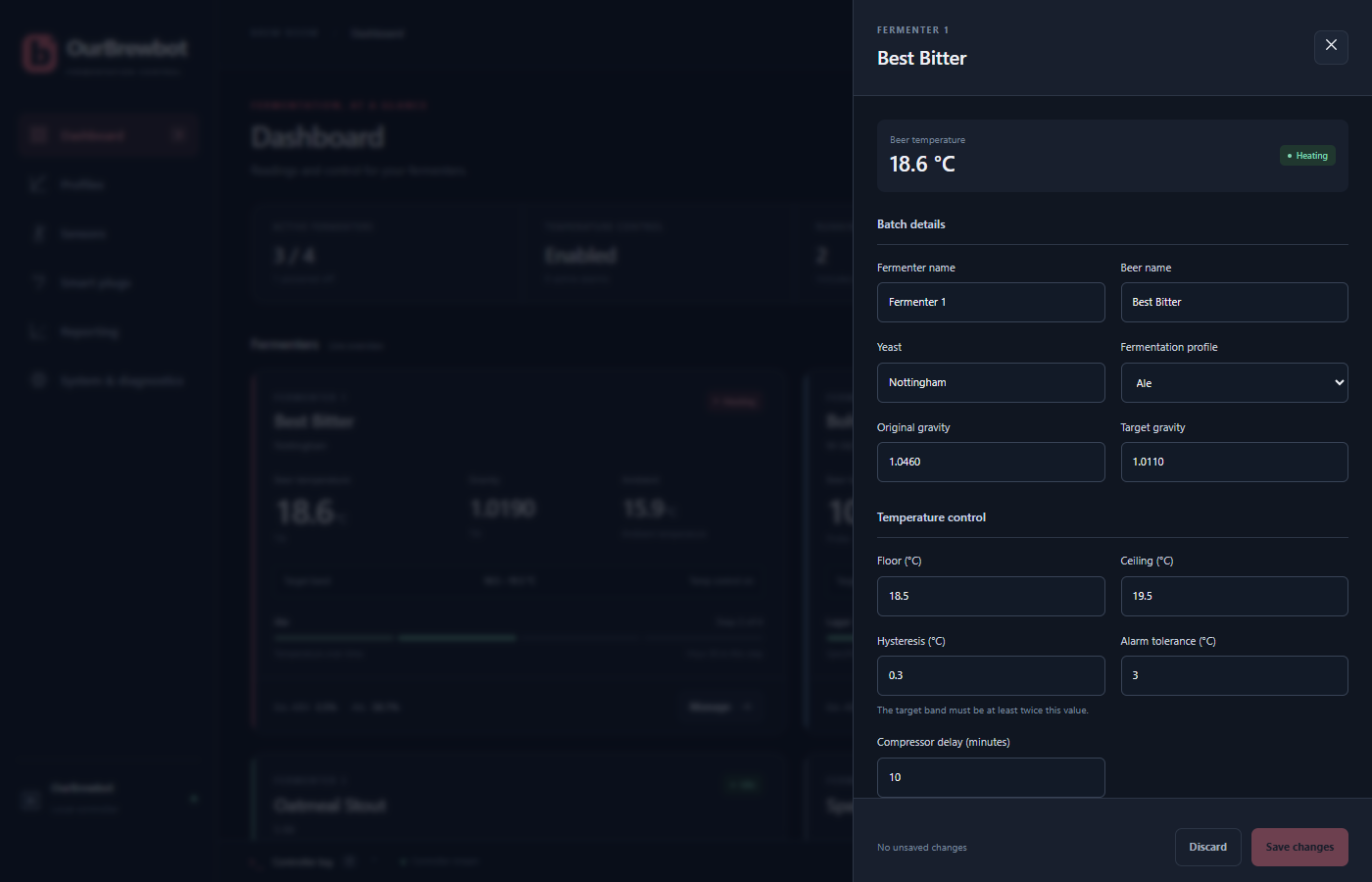
Press Manage on a fermenter's card on the Dashboard to open its settings. Change what you need, then press Save changes at the bottom. Discard puts the form back as it was.
Batch details#
- Fermenter name, Beer name and Yeast are shown on the Dashboard and sent to your brew services. Each can be up to 31 characters.
- Fermentation profile is the profile this fermenter runs, or Standard temperature control to hold it at the band below.
- Original gravity and Target gravity (0.990 to 1.200) are used to work out the attenuation and ABV, and to estimate the gravity when there's no Tilt or iSpindel.
Temperature control#
The fermenter is kept between its floor and ceiling. Below the floor it heats, and above the ceiling it cools, using the smart plugs given to it.
- Hysteresis stops the heater and cooler switching on and off too often. Heating carries on until the temperature is the hysteresis above the floor, and cooling carries on until it's the hysteresis below the ceiling. The gap between the floor and ceiling must be at least twice the hysteresis.
- Alarm tolerance is how far outside the floor or ceiling the temperature can go before the alarm goes off straight away. A smaller drift sets it off only if it lasts longer than the alarm delay in System settings.
- Compressor delay is the shortest time, in minutes, that cooling stays off once it stops, to protect a fridge's compressor. It also applies after the controller restarts, so a fridge may wait a few minutes before it cools again after a restart.
Temperatures can be from −20 to 50 °C, and the hysteresis and alarm tolerance up to 10 °C.
While a profile is running, it sets the floor and ceiling itself, so your own values are replaced. See Profiles.
Switches#
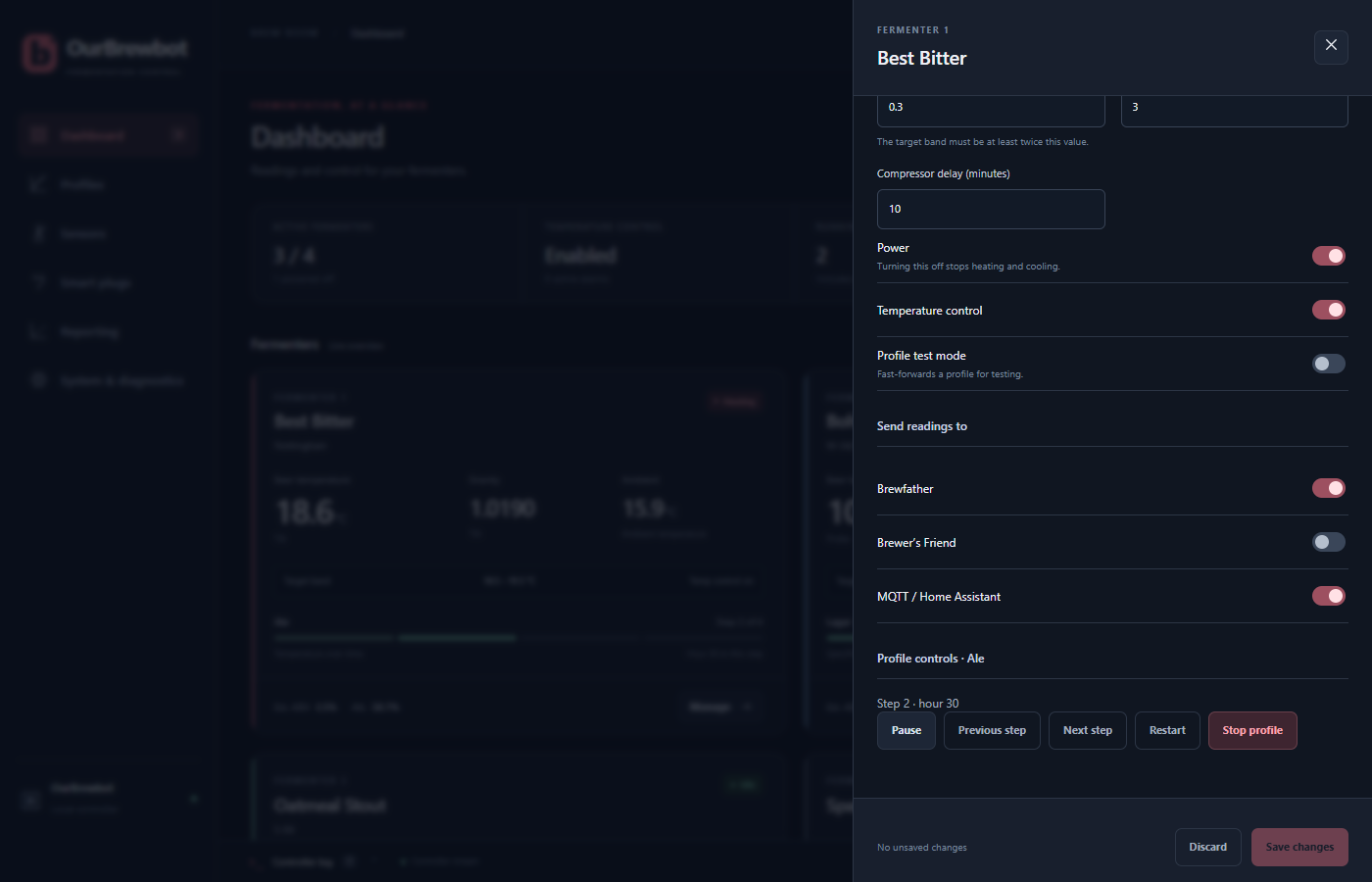
- Power switches the fermenter on or off. Off stops heating and cooling and clears any alarm.
- Temperature control off stops heating and cooling but leaves the fermenter on: its readings are still shown and reported, and a running profile keeps counting time.
- Profile test mode makes a running profile go through one hour every 10 seconds, so you can watch a new profile work through its steps. The heater and cooler are still really switched, so turn it off before you brew.
Send readings to#
Choose which services this fermenter's readings are sent to: Brewfather, Brewer's Friend or MQTT / Home Assistant. Set the services themselves up on the Reporting page.
Profile controls#
If the fermenter has a profile, its controls are at the bottom. Choose the profile in Batch details and save it first: the buttons use the saved choice.
- Start starts the profile from its first step.
- Pause stops the profile's clock, and the fermenter stays at the band the profile last set. Resume carries on.
- Previous step and Next step move through the steps by hand.
- Restart starts the profile again from the first step.
- Stop profile ends it. The fermenter goes back to standard temperature control, and stays at the band the profile last set until you change it.
Each one asks you to confirm first.
Debug sensor overrides#
With debug mode switched on in System settings, the settings have an Open debug overrides button. It lets you pretend the beer temperature, ambient temperature and gravity are whatever you type, to try out how the fermenter behaves. The overrides are forgotten when the controller restarts.