 OurBrewbot
Reporting
The Reporting page sets up where the readings go. Each service is set up here once, then switched on for each fermenter in its settings.
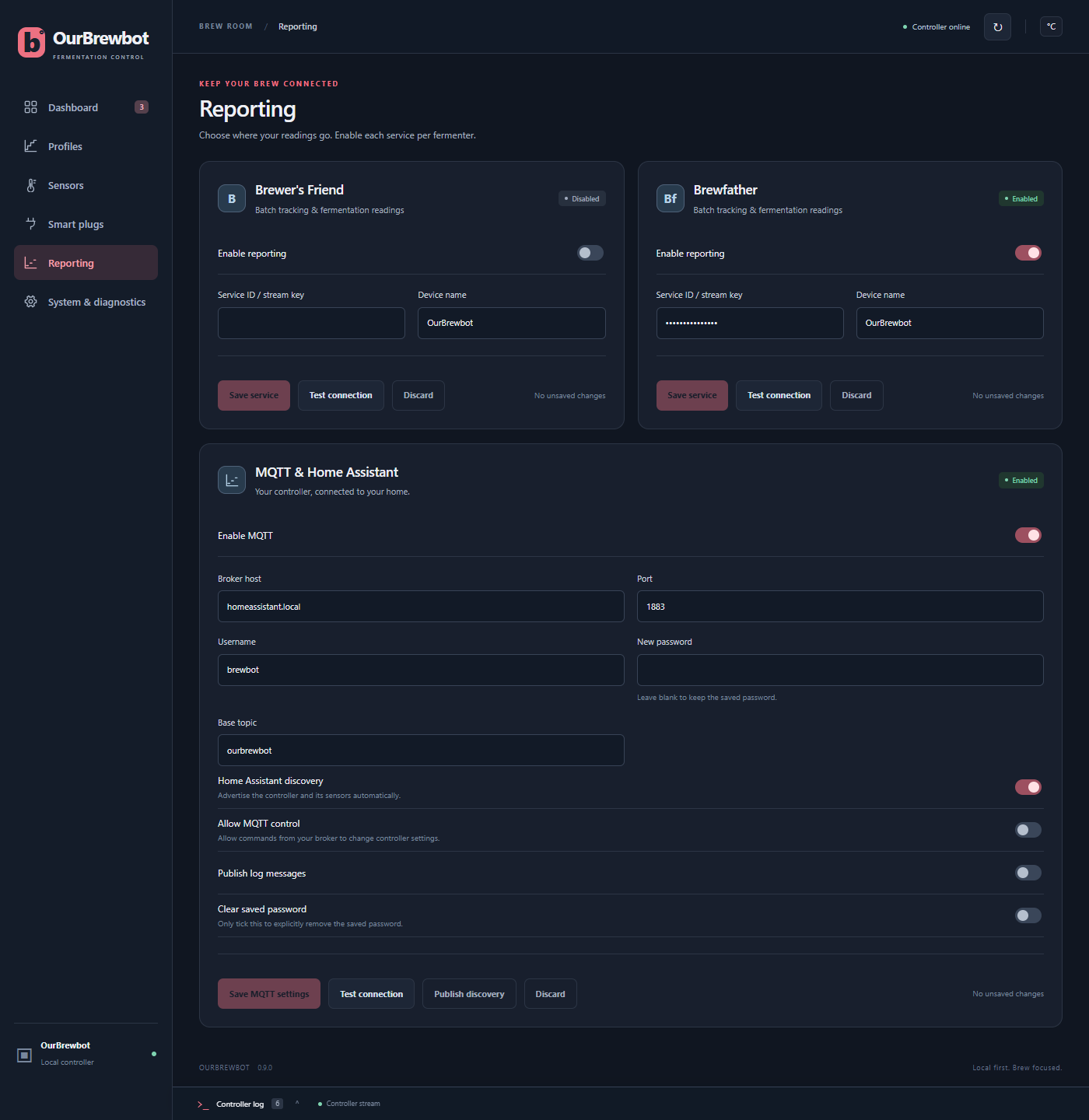
Brewfather and Brewer's Friend#
To send readings to Brewfather or Brewer's Friend:
- Turn on Enable reporting on its card.
- Enter the Service ID / stream key:
- For Brewfather, turn on the Custom Stream in Brewfather's settings. It gives you an
address ending in
?id=followed by your ID. Enter just the ID. - For Brewer's Friend, enter your API key.
- For Brewfather, turn on the Custom Stream in Brewfather's settings. It gives you an
address ending in
- Press Save service, then Test connection to check it works.
- In each fermenter's settings, turn the service on under Send readings to.
Every 15 minutes, each fermenter that's switched on and has the service turned on is sent as its own device, named after the fermenter. It sends the beer and ambient temperatures, the target temperature (the middle of the band), the gravity and target gravity, the beer name, the yeast as a comment, and whether it's heating or cooling. Device name is sent with it as the source of the readings.
MQTT and Home Assistant#
MQTT sends the readings to your MQTT broker, such as the Mosquitto add-on in Home Assistant.
- Broker host and Port are your broker's address, usually port 1883.
- Username and New password are the login for the broker. The password is never shown. Leave it blank to keep the saved one, or turn on Clear saved password to remove it.
- Base topic starts every topic the controller publishes, such as
ourbrewbot. It can't contain+or#, or start with$. - Home Assistant discovery makes the controller, its fermenters and sensors appear in Home Assistant by themselves.
- Allow MQTT control lets Home Assistant, or anything else on your broker, change settings such as a fermenter's floor and ceiling. It's off by default.
- Publish log messages sends the controller log to the broker too.
Press Save MQTT settings, then Test connection. Publish discovery sends the Home Assistant discovery messages again, if entities are missing.
Each fermenter's readings are only published if MQTT / Home Assistant is turned on in its settings. See Home Assistant for the entities it creates.